CTF Bootcamp S5: Unsanitary
This article adapts the bootcamp session notes into a readable post. View the slides.
Today
- URL encoding
- Burp suite
- File inclusion
- Command injection
- Bash composite commands
- Hack time!
Tools
Install please:
- Burp Suite
URL Encoding
- Encoding method to allow arbitrary data in URLs
- Also used for form data
- Some characters have special meaning in URLs
- Nonetheless, all characters can be url-encoded and the server should interpret them correctly
- To avoid the special meaning we url-encode them by replacing the
character with a percentage followed by two hexadecimal digits
representing the character byte value (remember ASCII)
- e.g., space is encoded to
%20,&(ampersand) to%26 - As a special allowance, spaces can be encoded to
+(plus sign)
- e.g., space is encoded to
Note: httpie takes care of this by itself, you have to url-encode when using Burp
POST forms
HTML forms upload their content as
application/x-www-form-urlencoded by default
Data is sent as key–value pairs separated by & (ampersand):
key1=value1&key2=value2Special characters are URL-encoded
- Space ->
+(or%20) &->%26=->%3D
Note: JSON is quite popular nowadays and does not url-encode the request (or response) body
Burp Suite
Web application penetration testing toolkit
Lets you intercept, view, and modify HTTP requests and responses (among other functions)
Proxy
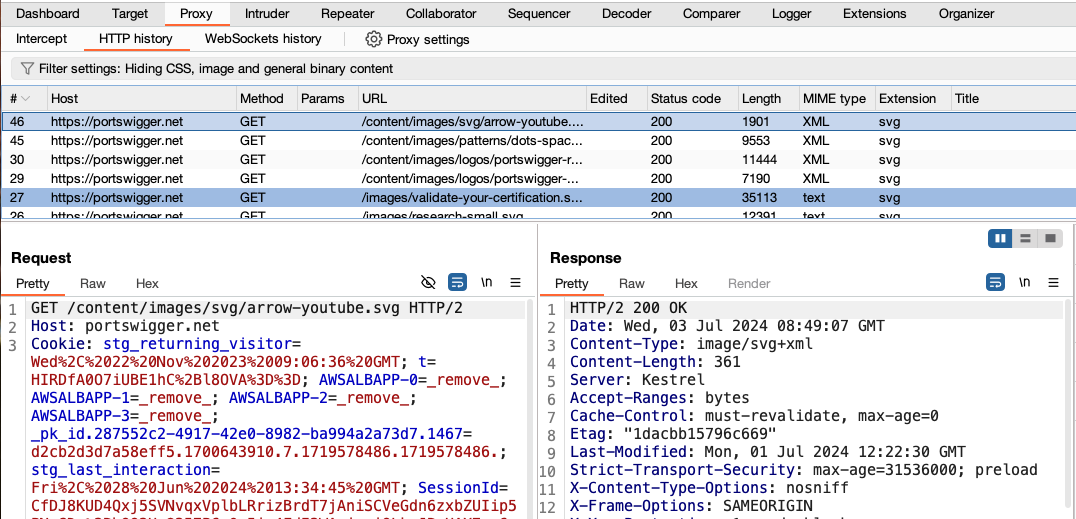
- Allows intercepting live traffic (Intercept on)
- Editing requests and responses
- Saves history of intercepted traffic
- Sets a proxy to intercept
- Recommended to use the Burp Suite included browser
- Can be used with other tools or your regular browser
Repeater
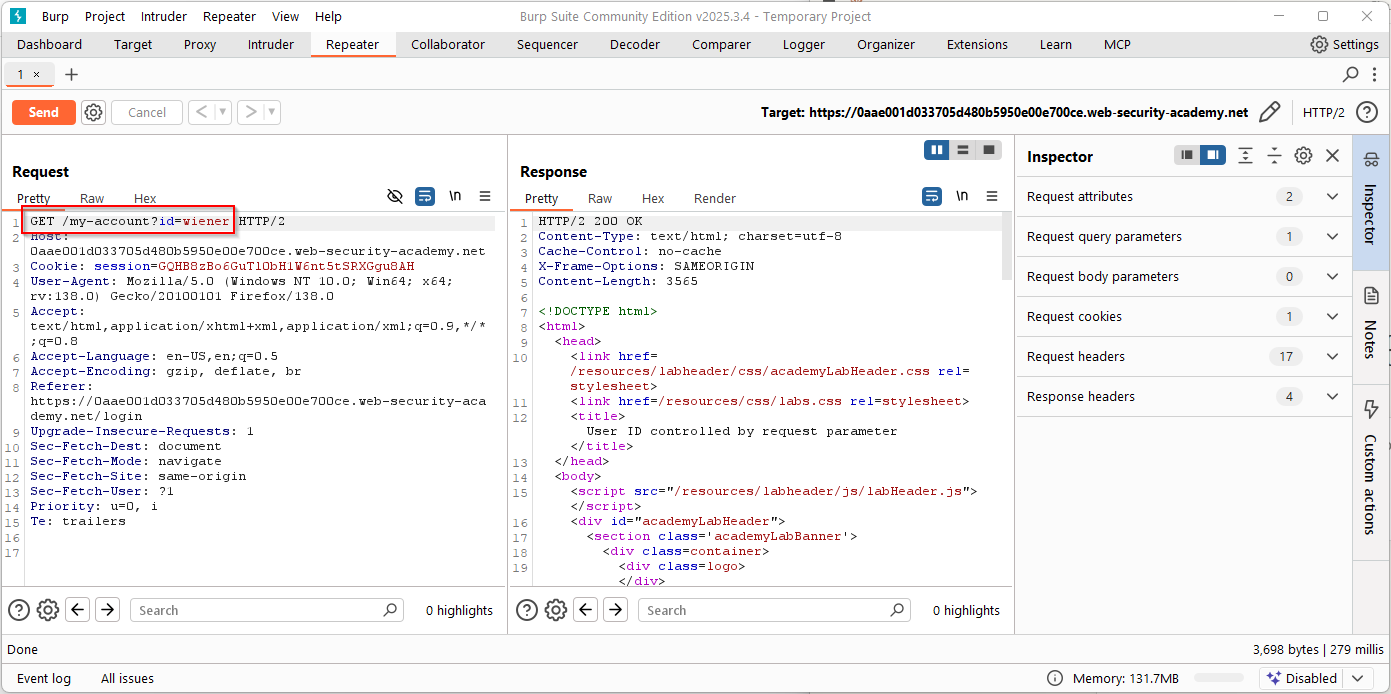
- Allows sending requests and viewing responses
- Like we did with httpie but now we edit the raw request
- You usually get an initial request by sending one from the proxy history (right click -> send to repeater)
Intruder
- Allows trying requests with marked sections replaced with some other strings
- Useless in the Burp Suite Community version (the free one), it's limited to 1 request per second
- We will see alternatives in the following weeks
Exercises
Complete the missing ones from web introduction
File inclusion
A web application may have a dynamic page inclusion that allows reading files from the filesystem.
The user input that specifies the page to read should be validated to be in some allowed paths.
Otherwise, we may read arbitrary files in the server's filesystem.
Example
<?php

$log = $_GET['log'];

$base_dir = "/var/log/app/";

$file = $base_dir . $log;

if (file_exists($file)) {
    echo "<pre>";
    readfile($file);
    echo "</pre>";
} else {
    echo "Log not found";
}
?>
Traversing
Remember absolute and relative paths (.. goes up in the
directory hierarchy)
/var/log/app/ + ../../../../etc/passwd = /etc/passwd/proc/self/cwd may also be useful
What may we read?
- flags
- databases
- configuration files
- source code
Exercises
- Forbidden Paths
https://play.picoctf.org/practice/challenge/270
Composing commands
- Bash (and other Unix shells) allow composing commands in a single
command
- This means that many commands may be executed in a
system()call or equivalent - Check C's
system(), Python'sos.system(), PHP'ssystem()- And many other alternatives in each language that vary on whether they invoke shells
- This means that many commands may be executed in a
Piping commands (|)
As we have seen before, we can make it so that a command receives stdin from another stdout with:
cmd1 | cmd2Of course, this allows invoking multiple commands in a single composed command too.
Unconditional execution (;)
Execute cmd2 after cmd1 finishes
cmd1; cmd2Newline
Newline can be used for this too
cmd1
cmd2
Only if success (&&)
Execute cmd2 only if cmd1 succeeds
cmd1 && cmd2You can check exit status of the last executed command with
echo $?. Zero means success, non-zero means failure
Only if failure (||)
Execute cmd2 only if cmd1 fails
cmd1 || cmd2Background (&)
Start cmd1 and then start cmd2 (don't wait
for cmd1's end)
cmd1 & cmd2Can be used for a single command to background its execution (i.e., don't wait for finish)
cmd1 &Command replacement
We can also use command replacement syntax
cmd1 `cmd2`
cmd1 $(cmd2)
cmd2 is evaluated first and its stdout is passed as an
argument to cmd1
Command injection
- Sometimes web applications use functionality that requires calling to system commands
- Depending on the method by which the command is invoked and our input is collected, we could be able to inject additional commands to be executed
Flask example
import os
from flask import Flask, request

app = Flask(__name__)

@app.route("/ping")
def ping():
    host = request.args.get("host")
    os.system(f"ping -c 1 {host}")
    return "Done"
Testing for injection
To test endpoints for command injection vulnerabilities we usually try payloads using the aforementioned methods
e.g.,
http -vf http://94.237.120.74:37598/ ip='127.0.0.1; ls -la'
http -vf http://94.237.120.74:37598/ ip=$'127.0.0.1\n{ls,-la}\n'
Checking injection results
If we are lucky, the injection result will be available in the HTTP response
Otherwise, we have blind command injection and will have to get our results in other way
e.g., inject sleep 5 conditionally, curl
result to a server we control
Evasion
As our input may be filtered or mangled in many ways, we will need to check for ways around the filters
Check:
- https://swisskyrepo.github.io/PayloadsAllTheThings/Command%20Injection/
- https://book.hacktricks.wiki/en/pentesting-web/command-injection.html
Exercises
- 3v@l https://play.picoctf.org/practice/challenge/484
- caas https://play.picoctf.org/practice/challenge/202
Further learning
- pwn.college — Learn to Hack! https://pwn.college/